


What Is an SVG File and Why Crafters Should Care
What Is an SVG File and Why Crafters Should Care
Ever downloaded a design that looked perfect in software then turned blurry the second you resized it? Or found a file your cutting machine just wouldn't open properly? Knowing what a SVG file actually is stops these problems before they start.
SVG files work best when you need clean designs you can resize and edit without losing quality, think logos, cut lines, and anything built from clear shapes rather than photos.
Picking the right file type changes how smoothly your projects go. Once the basics click, choosing the right format stops being guesswork.
Let's start reading and understand what is a svg file and why crafters should care.
What Is a SVG File?
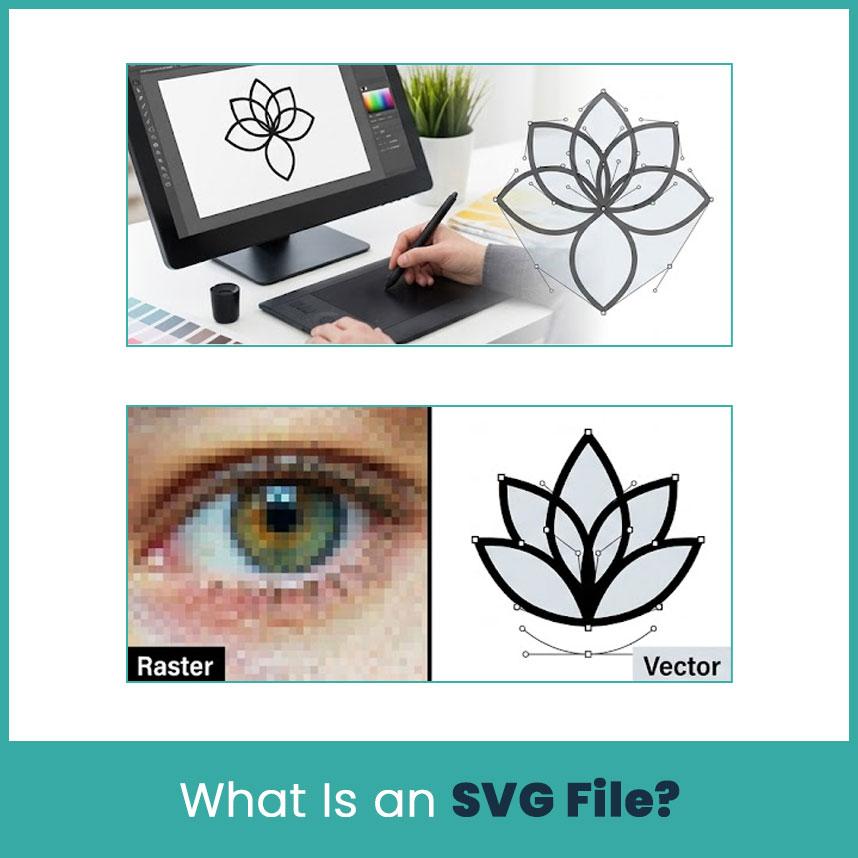
SVG stands for Scalable Vector Graphics. It's a file format that stores artwork as shapes, lines, and curves, rather than a fixed grid of pixels like a JPG or PNG.
So, is SVG a vector file? Yes, and that's exactly why crafters use it for logos, cut designs, icons, and lettering.
The benefit shows up when you resize something. A vector file stretches or shrinks without going blurry or rough around the edges. Say you have a flower design meant for both a small sticker and a large sign. A low resolution PNG might look fine small but turns pixelated once enlarged. A SVG keeps its lines clean at either size.
How SVG Files Work (Vector vs Raster Basics)
The easiest comparison is JPG and PNG vs SVG. JPG and PNG are raster files, built from pixels, tiny colored squares that together form the picture. That works great for photos and anything with a lot of color detail.
SVG works differently. It's built from paths, shapes, lines, and curves instead of pixels. That makes it a solid choice for:
-
Logos
-
Lettering
-
Geometric shapes
-
Line art and icons
-
Layered craft designs
Not every image turns into a clean SVG though. A photograph has too much detail and color variation to behave like a simple vector shape, it usually needs tracing first before it works as real vector artwork. And just because a file ends in .svg doesn't mean the paths inside are actually clean, that's worth checking before you create a whole project around it.
Common Uses of SVG Files in Design and Crafting
SVG shows up across a lot of design work, not just crafting:
-
Business logos and website icons.
-
Product labels and signs.
-
Paper crafts and vinyl decals.
-
Laser cutting projects.
Cutting machine software gets along well with SVG too. Cricut Design Space reads SVG as a vector image and can split layered artwork into separate layers once it's uploaded. Cricut also caps uploads at 5000 paths, so an overly detailed file might need some cleanup first, worth knowing before you're stuck troubleshooting a failed upload.
Why SVG Files Matter for Crafters?
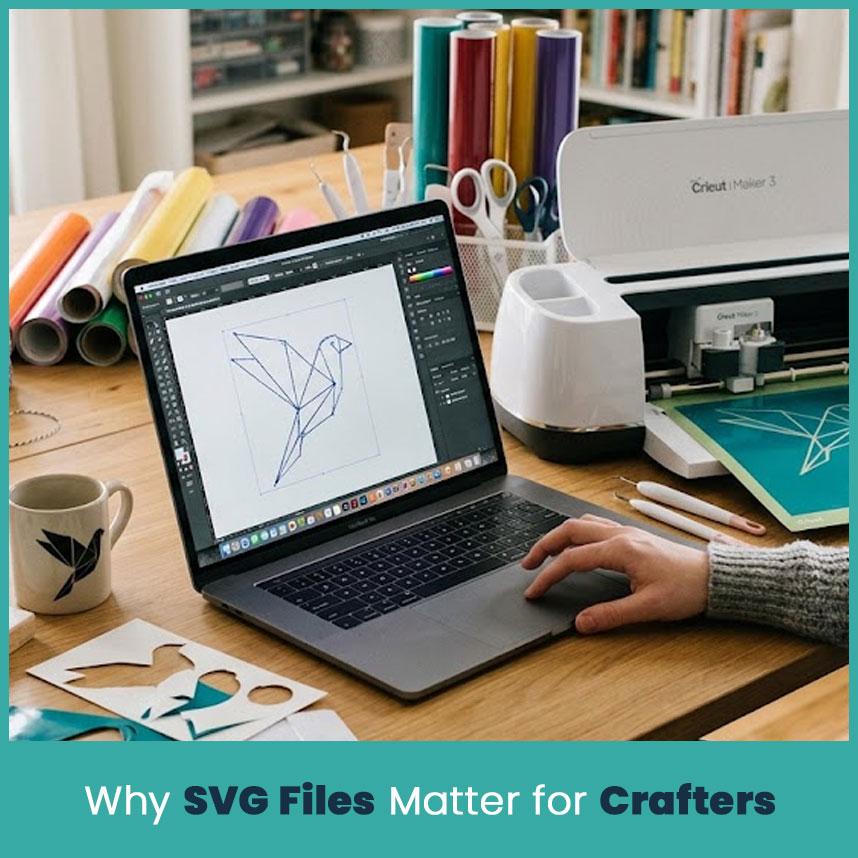
A SVG makes a solid starting point for almost any craft project. It gives you control, resize it, tweak a color, prep a different version, all without redrawing the artwork from scratch. That's especially handy when the same design needs to work as a large sign, a smaller shirt print, and a tiny sticker.
SVG and Cutting Machines (Cricut, Silhouette)
Cutting machines lean on SVG heavily, whether it's vinyl decals, paper crafts, stickers, or heat transfer designs. The defined paths inside a SVG give cutting software clear outlines to follow, so you're not stuck tracing every edge of a blurry image by hand.
That said, quality still matters here. A poorly made SVG can carry extra points, messy paths, or shapes that overlap, and all of that can throw off how the cut turns out.
Why Crafters Prefer SVG Over PNG or JPG?
PNG and JPG still have their place, especially for photos and detailed images. SVG pulls ahead when you need something you can resize and edit cleanly, a product photo works fine as a PNG, but a logo headed for vinyl is usually better off as a SVG.
The edge SVG has is flexibility. A properly created one lets you resize, edit individual pieces, and work in separate layers far more easily than a flattened image ever allows.
|
What You Need |
Better Choice |
Why |
|
A logo for vinyl cutting |
SVG |
Stays sharp at any size and cuts clean along the paths |
|
A product photo for a listing |
PNG or JPG |
Captures real detail and color that a vector file cannot replicate |
|
A design you'll resize often |
SVG |
Scales up or down without losing quality |
|
Artwork you plan to recolor or edit |
SVG |
Shapes and colors can be changed one at a time |
|
A finished image that won't change |
PNG or JPG |
No need for editable layers once the image is final |
|
A design with a transparent background |
SVG or PNG |
Both support transparency, PNG for flat art, SVG if you also need to resize or edit it |
Key Benefits of Using SVG Files in Craft Projects
Scalability Without Losing Quality
A SVG resizes without the pixelation you'd get from a low resolution image. The same simple design works for a small craft piece or a much bigger sign, and the edges stay clean either way. The result still depends on how the original artwork was built, but the format itself gives you a lot of room to work with.
Easy Editing and Customization
A well created SVG keeps its shapes and layers separate, which makes editing simpler:
-
Change colors.
-
Resize one element without touching the rest.
-
Remove a shape you don't need.
-
Edit lettering directly.
-
Rearrange or combine layers.
That's especially useful for personalized work. Got a family name design and need to swap the name, tweak a color, or resize just one part? An editable SVG lets you do that without rebuilding the whole thing.
Smaller File Sizes and Faster Sharing
Simple SVGs tend to stay small since they store shape and path data instead of every single pixel, which makes them quicker to upload, download, and pass along. That said, a complicated SVG loaded with unnecessary detail can still balloon in size, a clean, well organized file always works better than one packed with extra clutter.
How to Open and Edit SVG Files?
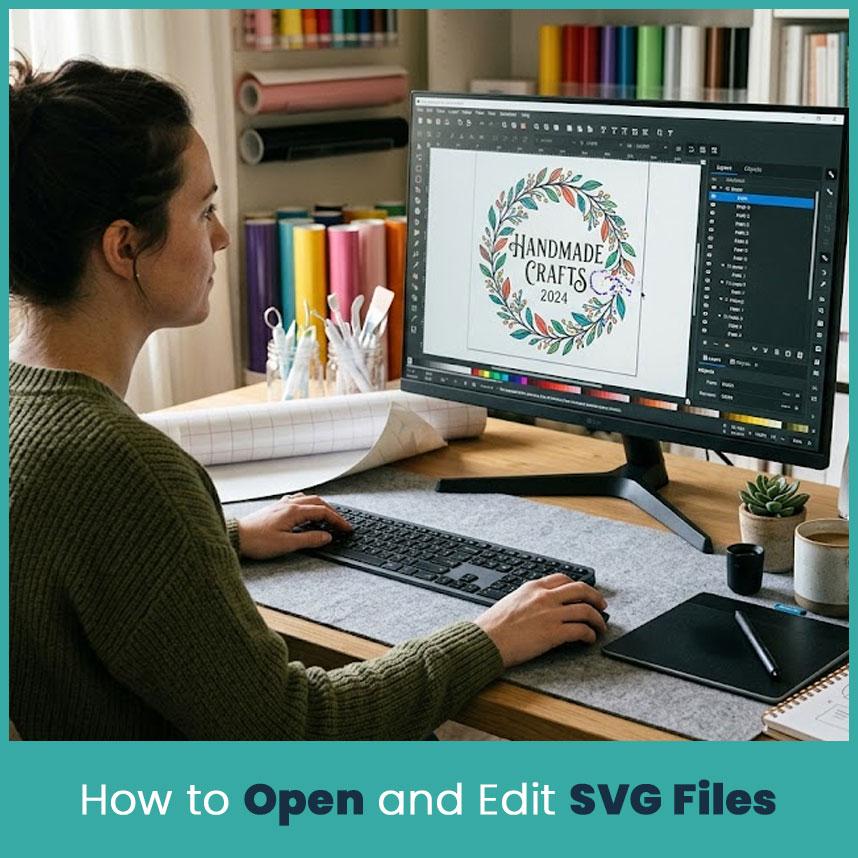
You don't need pricey software just to open one. Plenty of tools display SVG files just fine, and several design programs handle editing too.
Free Tools for Opening SVG Files
-
Inkscape, for full vector editing
-
Chrome, Edge, or Firefox, just to view a file
-
GIMP, for certain editing tasks
-
Online SVG viewers, for a quick look
If you only need to see the file, a browser does this. If you're actually editing, some vector programs like Inkscape and adobe illustrator AI is the better call.
Editing SVG Files for Custom Designs
Before diving into edits, it's worth checking a few things first, are the layers organized, are the shapes complete, is there anything unwanted hiding in there, does text need converting into shapes, are there extra paths that don't need to be there.
Cricut, for example, flags certain SVG features as trouble spots, unsupported pattern fills, editable text, linked images, and some embedded elements can all cause upload issues. Sometimes text needs converting to shapes first, and linked images may need embedding directly into the file. A few minutes of cleanup before uploading saves you from frustration.
SVG vs Other File Formats Crafters Use
Knowing what each format is built for makes picking the right one a lot easier.
|
Format |
Best For |
Main Strength |
Main Limitation |
|
SVG |
Vector craft designs like logos, cut lines, and lettering |
Resizes to any size without going blurry, and individual shapes stay editable |
Cannot be read directly by a cutting machine's blade without software processing the paths first |
|
PNG |
Graphics that need a transparent background, like icons or layered designs |
Keeps transparency intact and looks sharp at its saved size |
Turns pixelated and rough around the edges once enlarged beyond its original size |
|
JPG |
Photos and images with a lot of color detail |
Small file size and opens in almost any program without issue |
Cannot handle transparency, and quality drops if you compress or resize it too much |
SVG vs PNG
PNG suits digital images, transparent graphics, and detailed artwork, anywhere you need to preserve exactly how a finished image looks. SVG fits better with clear shapes, lines, and paths. Cutting a name or logo? Go with SVG. Need a product photo? PNG is the better pick.
Common Mistakes Crafters Make When Using SVG Files
|
Common Mistake |
Solution |
|
Using a low quality or corrupted SVG |
Open the file first and check it at different sizes before starting a full project run |
|
Ignoring licensing on free SVG downloads |
Check the creator's license terms before selling anything made from a downloaded file |
|
Not checking software compatibility |
Check supported formats, path limits, and layer support for your specific machine or software before committing to a file |
|
Uploading a file with too many paths |
Clean up or simplify the design first, Cricut caps uploads at 5,000 paths |
|
Leaving text as editable text instead of shapes |
Convert text to shapes before uploading, since some software cannot read editable text properly |
|
Using linked images instead of embedded ones |
Embed any linked images directly into the SVG before uploading |
|
Skipping a size or resize test before the final cut |
Resize the file on screen first and confirm every part of the design still looks correct |
FAQs
Can I use a SVG file directly with my cutting machine?
Yes. Most cutting machine software, including Cricut Design Space and Silhouette Studio, reads SVG files natively and turns the vector paths into cut lines.
Do I need special software to open SVG files?
Not always. Web browsers can display many SVG files. For editing, you need vector graphics software such as Inkscape or another compatible design program.
Are SVG files free to use for commercial crafting projects?
Not necessarily. The file may be free to download but still carry restrictions on commercial use. Always check the creator's license before selling products made with the design.
What is the difference between SVG and vector art in general?
SVG is a specific vector file format. Vector art is the broader category of artwork built from mathematically defined shapes, paths, and curves. SVG is one way to save and share that type of artwork.
Author Bio
Matthew Davis
Senior Embroidery Digitizer
I'm Matthew Davis, a skilled embroidery digitizer with more than 15 years of practical experience.
I specialize in logo digitizing, 3D puff embroidery designs, applique digitizing, custom embroidery digitizing, and working with difficult fabrics.
Over the years, I have worked with different fashion brands and production teams worldwide. I always share simple tips and useful techniques to help both beginners and businesses improve their embroidery work.
Categorieën
Meer lezen
1. High-Quality Induction Foil Capping Machines for Secure Packaging Induction Cap Sealing Machine is a trusted name among induction foil capping machine and cap sealing machine manufacturers, offering reliable sealing solutions for businesses across different industries. Our machines are designed to create strong, leak-proof and tamper-evident seals that protect products during...

339 Best Place for Get Telegram Accounts in the USA (Trusted) If you want to more information just contact now. 24 Hours Reply/Contact ➤ Email: pvabestit@gmail.com➤ WhatsApp: +15712124466➤ Telegram: @Pvabestitlive Introduction Telegram has become one of the world's most widely used communication platforms for personal conversations, education, professional collaboration, and...
Living with dementia can bring significant challenges for individuals and their families. As memory, communication, and daily living abilities change, having the right care and support becomes essential for maintaining comfort, dignity, and quality of life. Professional dementia care at home provide specialist assistance designed around each person’s unique needs, helping them...

Buy Old Gmail Accounts Buy Are you exploring the digital landscape for a strategic advantage? If so, consider the potential of old Gmail accounts. They may seem like relics from a bygone era, yet they offer unique benefits that modern accounts simply can’t match. As businesses strive to build trust and credibility online, many are turning to these aged accounts as an essential tool in...
Online sports betting is an exciting way to enjoy your favorite games while potentially earning rewards. However, winning consistently requires strategy, discipline, and knowledge. Cricbet99, one of India’s most trusted online betting platforms, provides everything a player needs to grow from small bets into bigger wins. With secure systems, fast withdrawals, live betting, and a...

